Why Metals Trading Spreadsheets Fail at LME, COMEX, SHFE
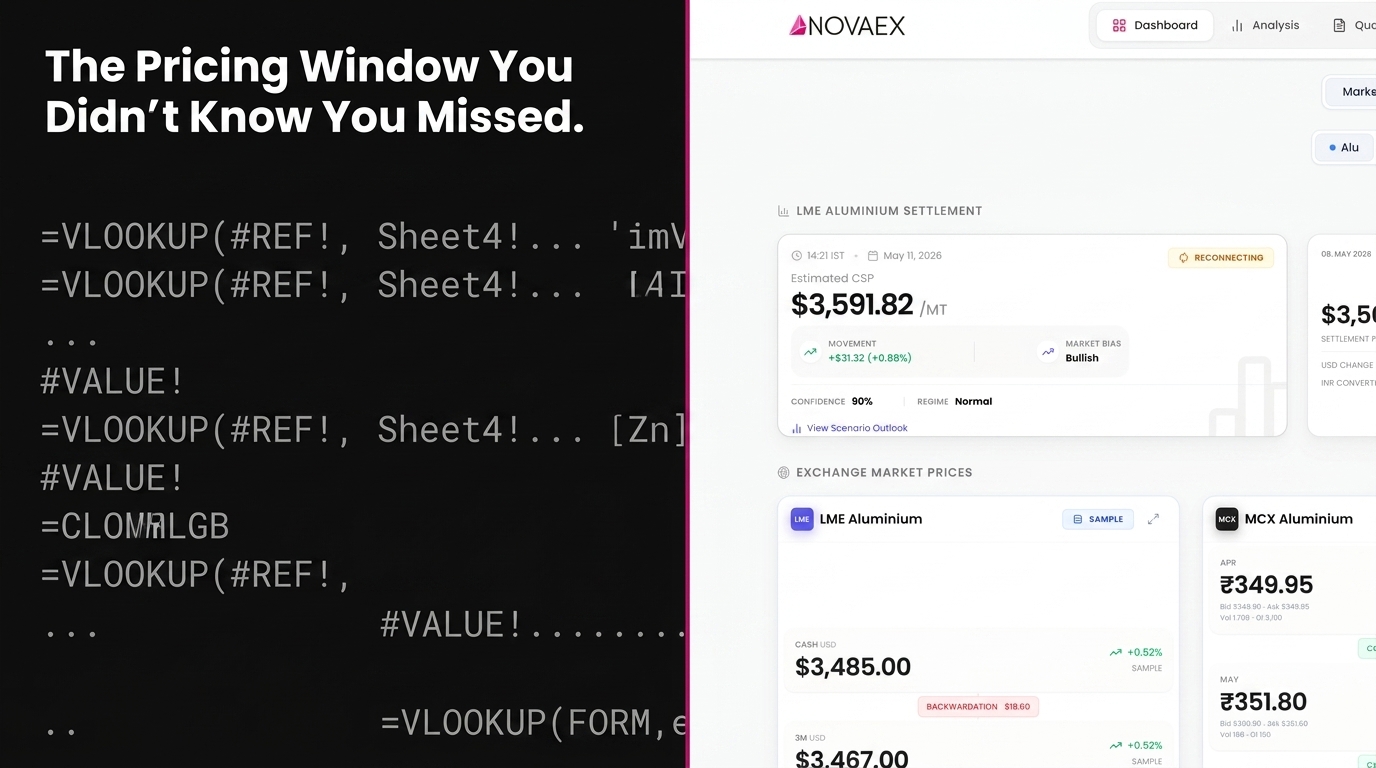
Multi-tab spreadsheet formulas collapse under concurrent data loads during live metals trading. This failure mode is structural, not situational. When LME, COMEX, and SHFE pricing windows overlap, simultaneous RTD feed updates exceed Excel's single-threaded calculation engine's processing capacity, producing stale or missed prices precisely during the windows when live exposure calculations carry the most operational weight.
When a position sheet freezes during the LME Ring opening or lags during a COMEX copper move, the cause is an architectural constraint, not a connectivity issue and not one addressable through hardware upgrades.
A 2019 F1F9 report on spreadsheet risk in financial services found that 88% of spreadsheets contain errors, and one in five large organizations has suffered a material financial loss directly attributable to spreadsheet failure. In base metals trading, where a 15-second pricing window can represent a six-figure hedge differential, a stalled formula is not an administrative inconvenience. It is a quantifiable financial exposure.
This article documents the failure mode, explains how specific exchange timing triggers it, and provides a diagnostic test to confirm whether it is present in your workflow.
The Concurrent Data Load Problem in Metals Trading Spreadsheets
Excel's calculation engine resolves volatile functions sequentially, not in parallel. When a Real-Time Data (RTD) server pushes updates from a Bloomberg, Refinitiv, or exchange-direct feed, Excel queues those updates and processes them one calculation chain at a time.
Under normal, low-frequency data conditions, this delay is imperceptible. Under concurrent load from multiple exchanges pushing price updates simultaneously, it is not.
The mechanics of concurrent data load failure
Concurrent data load failure occurs when an application receives more simultaneous data update events than its processing queue can resolve in real time, causing displayed values to lag behind the actual market. In Excel, this manifests as frozen cells, stale RTD values, or cascading recalculation errors triggered by cross-sheet formula chains competing for the same sequential calculation thread.
This is not a hardware problem. A workstation with 64 processing cores running Excel still resolves volatile functions through the same sequential calculation architecture. Additional RAM or CPU capacity does not resolve the constraint. The constraint is architectural.
The RTD Throttle Interval
Excel's RTD throttle interval (which controls how frequently RTD server updates are pushed to the spreadsheet) defaults to 2,000 milliseconds (2 seconds). Microsoft's published guidance on RTD server design Microsoft Excel RTD documentation states that reducing this interval under high-load multi-sheet conditions increases the risk of calculation queue overflow rather than reducing latency.
For a metals trader running 300 or more live formula cells across five tabs during active Ring and COMEX session hours, that 2-second structural lag is a baseline exposure built into the tool, not a configuration choice.
Research published by the European Spreadsheet Risks Interest Group (EuSpRIG) EuSpRIG annual report indicates the majority of spreadsheet errors in financial workflows are silent, meaning the workbook continues to display values without indicating that those values are outdated or incorrect. The cell shows a number. No flag indicates the number is stale.
How LME, COMEX, and SHFE Pricing Windows Create Simultaneous Demand
The three primary base metals exchanges do not operate in convenient isolation. Their trading sessions overlap in specific, predictable patterns that create repeatable spikes in concurrent data demand. Those spikes occur daily, on a known schedule.
COMEX and LME pricing window overlaps
The LME afternoon Ring session runs from 15:10 to 16:30 London time, with official settlement prices determined during the closing Ring intervals. COMEX copper's primary electronic session is open from 08:10 to 13:00 ET, equivalent to 13:10 to 18:00 London time. This means the LME afternoon Ring operates entirely within an active COMEX electronic trading window, creating simultaneous price discovery on the same underlying metal across two exchanges, in two currencies, under two settlement conventions.
A trader maintaining live exposure calculations across both venues is managing two correlated streams that move together in response to the same fundamental data. This amplifies update frequency precisely during the sessions where price discovery is most active and execution decisions carry the most consequence.
The SHFE Overlap Window
The Shanghai Futures Exchange (SHFE) trades copper, aluminium, zinc, and nickel in a morning session from 09:00 to 11:30 CST and an afternoon session from 13:30 to 15:00 CST. The SHFE morning session closes at 03:30 UTC, within 30 minutes of the LME pre-market opening. Traders monitoring Asian pricing alongside European price discovery in a single workbook face a sustained five-to-six-hour window of overlapping data demand before the LME afternoon Ring has opened.
The LME's published market statistics show copper and aluminium together account for more than 60% of total LME Ring trading volume [LINK: LME annual market statistics]. These are the same contracts most actively traded on SHFE and COMEX. The overlap is not incidental. It is the structural reality of base metals as a globally arbitraged market.
LME Ring Timing Creates Burst Demand, Not Sustained Demand
Unlike continuous electronic matching, the LME Ring concentrates price discovery into discrete five-minute trading intervals per metal. Each Ring interval generates a burst of tick data, a concentrated demand event that is structurally more disruptive to a spreadsheet calculation queue than a sustained low-frequency feed. When a copper Ring closes at 12:05 London and COMEX is approaching its open with overnight inventory data pending, a live workbook absorbing both streams is in active calculation conflict with itself.
What Actually Happens When Spreadsheet Formulas Collapse
The failure does not produce a clear alert. This is the primary reason most traders classify it as a connection issue rather than a structural one: the workbook continues to function, and the cell continues to display a number.
The technical sequence unfolds as follows:
- RTD throttle delay accumulates: The calculation queue falls behind inbound update events during a burst period, building latency in the displayed values.
- Cross-sheet references enter recalculation lock: Formula cells referencing live prices across multiple tabs trigger a recalculation state that blocks dependent calculations downstream until the chain resolves.
- Displayed values go stale: The cell shows the last successfully resolved price, which may be 4 to 15 seconds behind the current market depending on load severity.
- No error is raised: Nothing in the workbook indicates that the displayed value is outdated. There is no alert, no warning, no error code. There is a number.
The diagnostic blind spot in trader setups
The diagnostic blind spot exists because the failure is intermittent rather than constant. A spreadsheet that collapses under LME Ring load performs without issue during off-peak hours. When the same setup is validated at 08:00 before markets open, the RTD feeds resolve cleanly and every formula refreshes correctly. This creates a diagnostic blind spot: the failure occurs during active market hours and is attributed to a transient cause: a network interruption, a feed service outage, a background process consuming resources.
The failure repeats because the load condition that triggers it repeats on the same schedule every trading day. The causal relationship between load condition and failure is not observable simultaneously under standard workflow conditions.
The Real-Time Exposure Calculation Gap
The consequence of stale pricing extends beyond individual trade execution. It distorts the entire exposure picture carried into a decision. In cross-exchange metals hedging, that distortion is highly directional.
LME copper trades approximately $15 billion in notional value daily across Ring and inter-office markets LME copper trading volume data. Price movement within an 8-second window during a Ring close is not theoretically immaterial. In a position running 500 tonnes of copper exposure, a 2-dollar-per-tonne move within that window represents a $1,000 real-time variance. An exposure calculation based on a price 8 seconds stale reflects a position that no longer exists.
The impact of formula collapse on hedging accuracy
When a multi-tab spreadsheet fails to resolve live pricing data in real time, the exposure calculation it produces reflects a historical snapshot rather than the current market state. In cross-exchange metals hedging (where LME, COMEX, and SHFE prices move with high correlation but imperfect synchrony), a stale price in one leg of the calculation creates an artificial basis that inflates or deflates the apparent hedge ratio. A trader acting on that ratio is executing against a position that does not reflect current market reality.
Basis Risk Compounds the Staleness
A 2020 Bank for International Settlements report on commodity derivatives markets BIS commodity derivatives report highlights that basis risk in cross-exchange hedging positions is one of the most underreported sources of P&L variance in mid-market metals trading operations. A pricing window missed by 8 seconds in one leg of a cross-exchange hedge does not create an 8-second discrepancy. It creates a basis error that persists in the book until the next clean price reconciliation. In an active trading session, this may not occur for several minutes.
A 2021 survey by the International Swaps and Derivatives Association (ISDA) ISDA commodity trading survey found that 73% of commodity trading operations that experienced unexpected P&L variance identified data timeliness as a contributing factor. Concurrent data load failure is one of the primary mechanisms through which data timeliness breaks down at the precise moment it is most operationally critical.
Diagnosing Whether Your Spreadsheet Failure Is Structural
The diagnostic procedure is straightforward and takes less than ten minutes to execute. It requires no specialist tools, only an independent price source running alongside your live workbook.
The Divergence Test
Open your live trading workbook during an active pricing period, specifically during the LME Ring session between 11:40 and 16:30 London time, or in the 60 minutes surrounding a COMEX open at 08:10 ET. Open an independent price feed simultaneously in a separate application: a terminal window, an exchange direct feed, or a vendor price widget that is not sourced from the same RTD server feeding your spreadsheet.
Compare the price displayed in your spreadsheet against the independent feed at 30-second intervals for five consecutive minutes during active trading. Record any divergence greater than one tick.
Recurring divergence during burst periods and convergence during quieter intervals indicates concurrent data load failure, with the calculation queue falling behind inbound update events in a predictable, load-correlated pattern. This is distinct from a connection problem.
Microsoft's published guidance on RTD server design Microsoft RTD server design documentation states the default 2,000 ms throttle interval means a spreadsheet is architecturally designed to be up to 2 seconds behind a live feed under standard conditions. Under high-load multi-sheet conditions with cascading cross-sheet recalculations, that gap widens. The divergence test will quantify exactly how far it widens in your specific workbook during the exchange sessions that are most consequential to your book.
What a Metals Trading Platform Should Actually Do
The resolution to this failure mode requires an architecture that does not place live market data processing inside a general-purpose sequential calculation engine.
Separating the Calculation Layer from the Data Layer
A purpose-built metals trading platform processes real-time exchange data at the ingestion layer, before it reaches any display or calculation interface. LME Ring prices, COMEX settlement marks, and SHFE session closes are resolved at the data layer and delivered to the calculation interface as clean, timestamped, confirmed values. They are not live RTD streams competing for a shared calculation thread inside a workbook.
Gartner's 2022 research on financial services technology infrastructure indicates over 60% of mid-market commodity trading firms still rely on spreadsheets as their primary position management tool despite well-documented failure modes under live market conditions Gartner financial services technology report. The adoption of purpose-built CTRM and ETRM platforms among mid-market metals trading firms has accelerated by 34% since 2020, according to research from the Commodity Markets Council, driven by recognition that spreadsheet-based workflows create measurable operational risk during volatile market periods.
Replacing spreadsheets for real-time pricing
A purpose-built metals trading platform must separate data ingestion, position calculation, and display into distinct processing layers, each optimized for its function. The pricing layer must handle concurrent multi-exchange data streams (LME, COMEX, and SHFE simultaneously) without queuing delays or throttle constraints. The calculation layer must resolve exposure and hedge ratio calculations against confirmed, timestamped price values rather than against live RTD cells that may be mid-recalculation. The display layer must clearly distinguish a live confirmed price from a value pending refresh.
This is the baseline architectural requirement for any platform a front-office metals trader can rely on during an LME Ring session. It is not an advanced capability reserved for tier-one trading operations.
Novaex platform architecture overview
Base metals position management platform
The Architectural Constraint Most Traders Have Absorbed Into Workflow
Front-office metals traders routinely adapt to platform limitations. The multi-tab spreadsheet has served as the standard position management tool for long enough that its failure modes have been integrated into standard operating procedure.
The workaround is familiar: refresh manually before executing, cross-check the cell value against the terminal, wait until the Ring closes to reconcile the book properly. These procedures exist because the spreadsheet cannot be relied upon during the windows when reliability is most operationally important.
This is fundamentally an architecture problem.
The failure mode documented here (concurrent data load causing formula collapse and silent stale price display) is inherent to the spreadsheet architecture. It is not addressable through more disciplined refresh habits, faster hardware, optimized formula structure, or reduced tab count. It is resolved by moving the live pricing and exposure calculation function out of a sequential calculation engine and into an architecture built for concurrent data.
The evidence for this conclusion is traceable: it is the daily operational experience of metals traders who have continued trading on the last clean number in a frozen cell without confirmation, in that moment, of how far behind market that number was.
Conclusion
The metals trading spreadsheet failure documented in this article (formula collapse under concurrent LME, COMEX, and SHFE data loads) is a structural, repeatable condition that occurs on a predictable schedule every trading day. It produces silent stale data, creates phantom basis positions in cross-exchange hedges, and introduces unquantified staleness risk into every execution decision made during active pricing windows.
The failure stems directly from the architecture itself, rather than any individual configuration.
Three immediate actions for traders who recognise this failure mode in their workflow:
- Run the divergence test during the next LME Ring session: Compare your spreadsheet pricing against an independent feed at 30-second intervals for five minutes during active trading. Quantify the gap rather than assuming it falls within acceptable tolerance.
- Audit cross-exchange positions calculated during Ring or COMEX session hours: Identify any hedge ratios or net exposure figures produced by multi-tab workbooks during peak data load periods. Flag those for manual validation until the data architecture is resolved.
- Evaluate the architecture, not the configuration: If the divergence test confirms concurrent data load failure, reconfiguring your spreadsheet will not resolve it. The required next step is an architectural assessment of your pricing and exposure calculation infrastructure, specifically whether the live pricing layer is separated from the calculation layer.